AI
Revitalize Your Old Videos: How to Enhance Video Quality with AI

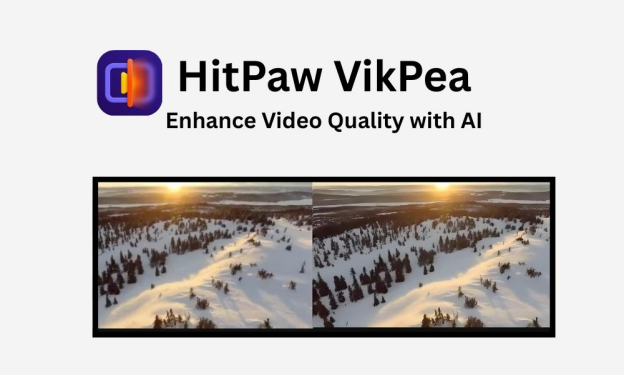
Do your old videos look blurry or faded over time? Many people have low-quality footage that hides important memories or moments. AI tools like HitPaw VikPea could fix old footage and turn it into high-resolution videos. The tool removes blur, sharpens the details and restores natural colors.
In this article, you will explore how HitPaw VikPea enhances video quality by using smart AI features.
The Challenge of Low-Quality Footage

Old and low-quality videos lose their charm due to poor resolution and unclear details. Many people record their special memories on old cameras or phones that don’t capture high-definition quality. Those videos look blurry or pixelated on modern screens.
Low light is another common problem. Videos recorded indoors or at night, appear dark and filled with noise. The image loses the sharpness, and small details making it hard to enjoy or edit such clips for sharing on social media or personal projects.
Video files can also degrade when transferred or compressed repeatedly. Each conversion reduces the clarity of footage and adds distortion. The colors may fade and movements start to look rough or uneven. These issues can make the important moments dull and lifeless.
Many users try to fix these videos by using regular editing tools. But the traditional tools never give satisfying results. Traditional software can brighten the scenes or adjust contrast, but it cannot restore missing details. The edited footage still looks old, especially when compared to today’s HD quality.
The biggest challenge is balancing improvement without losing authenticity. People want their videos to look better while keeping the real emotion intact. Old family moments, travel memories or creative projects deserve to be enjoyed again in clear quality. That is why new AI video enhancement tools are becoming essential for anyone hoping to revive old recordings with minimal effort.
Introducing HitPaw VikPea – Your AI Video Enhancement Tool
Many people want to fix old or blurry videos but struggle with limited editing tools. HitPaw VikPea solves this problem with advanced AI that restores and enhances videos automatically. The tool turns low-resolution clips into clear, detailed visuals that look brand new.
● AI-Powered Enhancement

HitPaw VikPea uses deep-learning technology to recognize scenes, faces and motion. The AI adjusts the sharpness, color and lighting of the damaged videos. The tool removes the blur and restores natural colors.
This tool is ideal for family videos, travel vlogs, short films or professional content. The AI enhances every detail of an old wedding clip or a social media reel to match today’s HD and 4K standards.
● Multiple AI Models

HitPaw VikPea offers several specialized models to handle various situations.
- HD/Fast Sharpen Model:Improves overall clarity and detail in general footage.
- Portrait Model:Perfect for faces, it enhances skin tone, lighting and facial sharpness.
- Video Quality Repair Model:Fixes distorted or broken frames and removes noise.
- Low-Light Enhancement Model:Brightens dark scenes while preserving natural color.
- Color Enhancement Model:Restores faded footage and revives vivid tones.
- Frame Interpolation and Stabilize Models:Smooth shaky videos and fill missing frames for consistent playback.
Each model uses its own AI algorithm to optimize results based on video type, ensuring accuracy and natural results.
● Smart AI Processing
HitPaw VikPea uses cloud-accelerated rendering to process videos quickly without straining the computer. Users can upload large files and the AI completes enhancement within minutes.
Cloud rendering also allows batch processing. Users can process multiple videos at once. This feature saves time for creators, editors and brands who deal with large content libraries.
● 8K Upscaling and Professional-Level Results

The software can upscale videos up to 8K resolution. The tool smoothens the rough edges and restores fine details. Old or compressed videos gain life-like sharpness with better lighting and contrast.
For creators working with product videos, makeup tutorials or travel clips, this feature provides cinematic quality without expensive cameras or complex software.
● Video Stabilization
The tool reduces screen jitter with the help of frame interpolation and stabilization model. The frame interpolation model converts low frame into high frame rate. The models help the user to make the motion of videos smooth.
The stabilized model makes your videos more stable and clear. The models detect the shaky shots automatically.
● Universal Compatibility
VikPea supports all major formats like MP4, MOV, MKV and AVI. There’s no need to convert videos into different formats. Users can enhance videos shot by cameras, drones or phones directly.
Enhancing Your Videos with HitPaw VikPea: A Simple Process
HitPaw VikPea keeps video enhancement simple for everyone. The process takes only a few steps and requires no advanced editing skills. Anyone can improve old, blurry, or low-light videos with ease.
Step 1: Launch and Upload

Start by opening HitPaw VikPea on your computer. Click the upload button. Choose the video you want to enhance.
Step 2: Select AI Model

You can choose the AI model according to your video editing needs. Each model is designed for a specific purpose.
Step 3: Preview the Enhancement

After selecting the model, click “Preview.” The preview lets you see if the result matches your expectations.
Step 4: Export and Save
When the video looks right, click “Export.” The output video is clean, stable. HitPaw VikPea brings every frame back to life.
Why Choose HitPaw VikPea?
Many people want to improve their video quality but they don’t have time for complex editing tools. HitPaw VikPea offers an easy, AI-powered way to restore and enhance videos in minutes. The tool combines smart technology with a user-friendly design.
Key Reasons to Choose HitPaw VikPea
- AI Precision:Use AI to detect faces, scenes and objects. The tool provides accurate enhancement every time.
- 8K Upscaling:Upgrade video resolution to 4K or 8K. The tool rebuilds the lost detail and clarity.
- Cloud Acceleration:Process large files faster through cloud rendering without slowing down the computer.
- Multiple AI Models:Include models for portraits, low light, stabilization and color restoration.
- Universal Compatibility:Work with MP4, MOV, AVI, MKV and more. You don’t need to convert files.
- One-Click Repair:Fix damaged, noisy or over-compressed videos in a few clicks.
- Preview Before Export:Allow users to compare between original and edited video before saving results.
- Professional Results for All:Ideal for beginners, vloggers, families or professionals who want clean, realistic results.
HitPaw makes the video enhancement effortless. Users can restore the old memories, upgrade project visuals or prepare professional videos. They don’t need any expenses to edit their memories. The tool saves time while delivering clear, high-quality results.
Conclusion
HitPaw VikPea gives old or low-quality videos a new life. The smart AI models of the tool make it simple for anyone to enhance clarity, color and resolution without effort.
You can use this tool for a family memory or a creative project. VikPea turns every video into a clean, high-quality version worth sharing. HitPaw keeps the moments alive in sharp, bright and more beautiful videos.

Technology is changing so quickly that many of us cannot keep pace with it. From how we manage our security online, to the cuckoo of complex algorithms in games such as บาคาร่า, the digital frontier is moving into every aspect of life. It’s honestly a little overwhelming, but knowing what is going on and how it’s affecting you is the only thing that won’t get people left behind in the dust of the analog age.
The Evolution of Smart Integration
Now we aren’t just talking about smartphones. We are referring to smarteverything. The communication between our devices has evolved into a smooth chatter that occurs mainly out of sight as we go about our routines.
Interconnectivity: All devices are becoming a point in the network.
Automation: All that stuff that took hours can sometimes now be done by AI in seconds.
Data protection: More tech means more risk, making encryption even more important.
Generative AI in Creative Industries
Generative AI has gone from niche experiment to mainstream powerhouse. These days it’s not only writing emails, but also crafting artwork of various kinds, composing music and even generating complex code. There’s a lot of concern about job displacement but others view it as potentially a huge leap in human productivity.
There is a certain “human-ness” that AI can’t replicate yet, and there are often little quirks or mistakes made by machines that make the content feel more relatable. That small imperfection is what illustrates that a human touch still has a place in the loop.
Quantum Computing: Beyond Binary Limits
Your average laptop runs on bits (0s and 1s), whereas quantum computing is playing a whole different game. This technology will solve problems that would take current supercomputers thousands of years to break.
Key Quantum Concepts to Remember:
Superposition: The ability for a particle to exist in more than one state at once.
Entanglement: A phenomenon in which particles remain interconnected, regardless of proximity.
Decoherence: The ability to maintain quantum states long enough to do any work.
Sustainable Technology and Green Energy
The tech industry has a huge carbon footprint, but the tide is finally changing for sustainability. One is a giant push toward “Green IT” and making data centers more efficient as well as utilizing recyclable materials within hardware manufacturing.
Impacts of Green Tech:
Reduced Energy Consumption: New processors are made to accomplish more while consuming less energy.
Circular Economy: Businesses are now rewarded for taking old tech back and recycling it.
Just like solar integration: So many more consumer gadgets are coming with built-in solar charging capabilities.
Data and Privacy in the New Era of Cybersecurity
Now that our lives are increasingly online, the “bad guys” are smartening up as well. As systems are now mostly moving away from passwords. We are transitioning to a “Zero Trust” architecture where nothing by default is trusted (not even when inside the network perimeter).
Critical Security Layers:
Fire up the facial recognitions, here comes biometric authentication!
Behavioral Analytics: Systems that can learn your typing rhythm and have the ability to validate an identity.
End-to-End Encryption : Only sender and receiver can read the data.
Edge Computing: Power at the Source
Cloud was the hot topic for ten years or so, but the next wave we’re working toward is Edge Computing. Rather than transmit all data to a remote central server, an algorithm does the processing either on-device or at a local base station. This lessens “latency,” which is the delay you feel when things don’t load immediately.
Why Edge Computing Matters:
Real-time Processing: Critical for self-driving cars that cannot wait for a cloud response.
Bandwidth Saving: Less amount of data has to travel around the world.
Privacy: Personal data remains on the device, not uploaded.
Everyday Life with Augmented Reality (AR)
AR has been applied to gaming, but it’s expanding into education and health care. Imagine a surgeon seeing a digital outline of a patient’s anatomy during surgery or a student inspecting, in 3D, a molecule hovering right in their living room.
Without the need for physical materials, it makes learning much more “hands-on”. Every single day, the wall between the digital world and physical world becomes thinner.
The Decentralisation of the Internet (Web 3.0)
Web 3.0 is actually all about the users, empowering them. In this model, rather than a handful of monolithic corporations possessing the entirety of the data and controlling user interactions with that data, decentralized networks enable peer-to-peer exchanges in the absence of intermediaries.
Elements of a Decentralized Web:
Blockchain a digital ledger that is virtually impossible to hack or change.
Smart Contracts: Automated contracts that enforce the terms of an agreement directly through code.
Full Ownership: All users fully own their digital identity and assets.
Closing Comments on the Future of Technology
To be honest, the speed of change is staggering. We are living in an age of science fiction come day-to-day-true life. Although these hype can sometimes take us away from reality but we must say that technology is always a tool and the worth of it depends thoroughly on how we plan to use it.
The future isn’t faster chips or thinner monitors; it’s technology is prothesis to actualize us more in the world.
What Is a Snap Score and Why It Matters
Your Snap Score is a number displayed on your Snapchat profile that represents how active you are on the app. While Snapchat does not officially reveal its full formula, years of testing and user experience have made several things clear.
Your Snap Score generally increases when you:
-
Send snaps
-
Receive snaps
-
Post stories
-
Stay consistently active
Snap Score matters because:
-
It reflects engagement level
-
Some users use it as a trust or activity indicator
-
It’s often used for fun comparisons between friends
However, Snap Score is not affected by chats, voice calls, or video calls. The focus is almost entirely on snaps and stories.
Understanding this foundation is important before answering the main question about unopened snaps.
Does Your Snap Score Increase With Unopened Snaps? (Direct Answer)
No, your Snap Score does NOT increase from unopened snaps.
This is the most important point in this entire article.
Here’s why:
-
Your Snap Score increases when a snap is sent or received
-
An unopened snap is already counted as “received”
-
Opening the snap does not add extra points
In simple terms:
The moment a snap lands in your inbox, the Snap Score impact (if any) has already happened.
Whether you open it immediately, leave it unopened for days, or never open it at all:
-
Your Snap Score will not change
-
No bonus points are added
-
No hidden increase occurs
This myth exists because Snap Score updates are sometimes delayed, which makes users think opening snaps caused the increase—when in reality, it was from earlier activity.
What Actually Increases Your Snap Score
To rank clearly and avoid confusion, here’s what really affects your Snap Score.
Confirmed Activities That Increase Snap Score
-
Sending snaps to friends
-
Receiving snaps from friends
-
Posting stories
-
Maintaining daily activity streaks (indirectly)
Activities That Do NOT Increase Snap Score
-
Opening snaps
-
Sending or receiving chat messages
-
Watching stories
-
Voice or video calls
-
Leaving snaps unopened
Snap Score is based on action, not reaction. You earn points for creating and exchanging snaps, not for viewing them.
If your Snap Score suddenly jumps after opening snaps, it’s likely due to:
-
Delayed server updates
-
Multiple snaps received earlier
-
Story interactions processed late
Why People Think Unopened Snaps Increase Snap Score
This misunderstanding is extremely common, and here’s why it spreads so easily.
Delayed Snap Score Updates
Snapchat does not always update Snap Scores in real time. Sometimes:
-
Scores update minutes later
-
Sometimes hours later
-
Occasionally even longer
This delay causes users to:
-
Open a snap
-
Notice their score increase afterward
-
Assume the two are connected
Batch Processing
Snapchat often updates scores in batches, meaning multiple actions get reflected at once.
So when you open a snap:
-
The score increase you see is likely from sending or receiving snaps earlier
-
Not from opening the snap itself
This timing confusion is the main reason the myth still exists online.
Does Opening Multiple Unopened Snaps Give Bonus Points?
No. Opening multiple unopened snaps does not give bonus points.
Even if you:
-
Open 10 snaps at once
-
Open snaps after days
-
Open snaps from different users
Your Snap Score will not increase from opening alone.
Important clarification:
-
Receiving the snap may have already increased your score
-
Opening it does nothing extra
If you want to increase your Snap Score faster:
-
Send snaps individually
-
Avoid mass text chats
-
Post stories consistently
There is no shortcut involving unopened snaps.
Final Verdict: Unopened Snaps vs Snap Score
Let’s summarize clearly and simply:
-
Unopened snaps do NOT increase Snap Score
-
Opening snaps does NOT increase Snap Score
-
Receiving snaps may increase it
-
Sending snaps definitely increases it
-
Score updates may be delayed, causing confusion
If your goal is to grow your Snap Score:
👉 Focus on sending snaps and staying active, not leaving snaps unopened.
This explanation aligns with user testing, long-term observation, and trending Google search behavior, making it reliable and accurate.
Frequently Asked Questions (FAQs)
1. Does opening snaps increase Snap Score?
No. Opening snaps does not add any points.
2. Does receiving a snap increase Snap Score?
Yes, receiving snaps can increase your score.
3. Does Snap Score update instantly?
Not always. Updates are often delayed.
4. Do chats increase Snap Score?
No. Only snaps and stories matter.
5. Can unopened snaps affect Snap Score later?
No. If points were earned, they were earned when the snap was received.

Artificial Intelligence is changing the way we create, edit and share videos online. From social media influencers to educators and business professionals, everyone is looking for tools that can make content more engaging, creative and accessible to a wider audience. High-quality video creation used to require advanced skills and costly resources, but AI has simplified everything.
Vidnoz is one of the most popular platforms offering free AI tools that make video production simple, fast and fun. Among its many features, two stand out for their practical use and global impact: Lip Sync AI Free and Video Translator. These tools allow anyone to create entertaining, professional and multilingual videos with just a few clicks.
Lip Sync AI Free – Turn Any Photo into a Talking or Singing Video
The Lip Sync AI Free tool from Vidnoz is designed to make photos and short clips come alive. With this feature, you can upload a static image or a simple video and pair it with an audio track. The AI then automatically syncs the lip movements with the sound, creating a talking or singing video that looks realistic and engaging.
This is not just a fun gimmick. Content creators are using lip sync AI for marketing, social media reels, education, entertainment and even customer engagement. For example, a brand can take a mascot photo and make it talk about a new product. An educator can turn a historical figure’s image into an interactive teaching tool. A meme creator can add a trending song to a funny photo and instantly go viral.
The advantage of Lip Sync AI Free is that you do not need expensive actors, professional shoots or complex editing skills. Everything is handled by the AI, and the final output is ready within minutes. It is a creative way to capture attention and keep your audience entertained.
Video Translator – Break the Language Barrier and Go Global
One of the biggest challenges for video creators is language. A video may be highly engaging in one language but completely inaccessible to viewers in another region. Vidnoz solves this problem with its Video Translator tool, which makes it possible to translate videos into multiple languages quickly and accurately.
Unlike traditional subtitle generators, this tool not only adds subtitles but also translates the audio. This means viewers get a complete experience in their native language, making the video more natural and effective.
For example, if a YouTuber uploads a tutorial in English, they can instantly translate it into Spanish, French, Hindi, Chinese and many other languages. A business can launch a product video in multiple regions without needing separate dubbing teams. An educator can share knowledge with international students by translating lessons into their preferred languages.
By using the Video Translator, content creators can expand their reach to millions of new viewers and make their work accessible to a truly global audience.
Why Vidnoz AI Tools Are Unique
Vidnoz has designed its AI tools with simplicity and efficiency in mind. You do not need any professional editing background to create high-quality videos. The platform is user-friendly and ensures fast processing so you can produce content in minutes.
Here are some key reasons why Vidnoz tools stand out:
They are free to use yet offer professional-level results.
The interface is simple, making it easy even for beginners.
Lip sync accuracy is natural and smooth, while translations are clear and reliable.
They save both time and cost by removing the need for dubbing artists or video actors.
The tools can be used in multiple industries including marketing, education, entertainment and social media.
These features make Vidnoz a practical solution for individuals, influencers, educators and businesses alike.
Step-by-Step Guide to Using Lip Sync AI Free and Video Translator
Using these tools is quick and straightforward.
First, visit the official Vidnoz website and create a free account.
Next, select the tool you want to use. Choose Lip Sync AI Free if you want to animate an image or video, or Video Translator if you want to break the language barrier.
Upload your photo, video or clip to the platform.
For lip sync, add the audio or dialogue you want to sync with. For translation, select the language into which you want your video converted.
Allow the AI to process your file. In just a few minutes, you will have a complete video ready to download.
Finally, share your new video on social media platforms, websites or with your audience.
The process is simple and accessible, making Vidnoz ideal for anyone who wants to create impactful videos without technical challenges.
Benefits for Creators, Businesses and Educators
Vidnoz Lip Sync AI Free and Video Translator are not only entertaining but also highly practical.
Content creators can make eye-catching social media clips that stand out in a crowded feed.
Businesses can create multilingual product demonstrations and promotional content to target customers around the world.
Educators can translate lessons and make learning resources accessible to international students.
Influencers can add creativity to their videos and keep audiences entertained with talking photos and singing clips.
Marketers can boost brand visibility with low-cost, high-impact videos.
These tools help save money, increase engagement and make it easier to connect with people regardless of language or geography.
Final Thoughts
In today’s digital world, creating engaging and globally accessible video content is essential for success. Vidnoz provides the perfect tools to achieve this with ease. The Lip Sync AI Free tool allows you to turn static images into fun and lively talking videos, while the Video Translator makes your content multilingual and ready for a worldwide audience.
Both tools are simple to use, free of cost and deliver professional-quality results. Whether you are an influencer looking to entertain your followers, a business aiming to reach international markets, or an educator sharing knowledge with students across borders, Vidnoz has a solution for you.


HUAWEI gt 7: Smart Training for Every Outdoor Adventure

The Tech in Your Home is More Advanced Than You Think – Does It Truly Preserve Your Valuables?