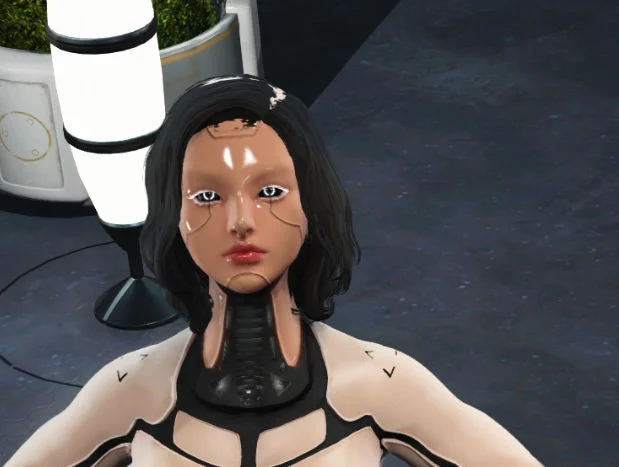
Fallout 4 Ikaros Androids Voice Won’t Change: The issue where Ikaros androids’ voice won’t change in Fallout 4 has confused many players who use mods, custom companions, or android/synth-based characters. Whether you’re role-playing a custom android, using a companion overhaul, or experimenting with voice replacers, this problem can break immersion and make characters feel unfinished.
What the Ikaros Android Voice Issue Is in Fallout 4
The Ikaros android voice issue usually refers to a situation where a custom android or synth character—often created or modified using mods like Ikaros Androids, custom race mods, or companion frameworks—continues to use a default voice type, even after players try to change it.
Common symptoms include:
-
Voice remains male/female default
-
Voice ignores character creation settings
-
Dialogue sounds human instead of android
-
Voice doesn’t update after race or gender changes
This happens because Fallout 4 voice systems are tightly linked to voice types, not just appearance or race.
How Fallout 4 Voice Types Actually Work
In Fallout 4, voices are controlled by VoiceType records, not by:
-
Character race alone
-
Body presets
-
Android or synth labels
Every NPC or companion has a VoiceType assigned in the Creation Kit, such as:
-
MaleEvenToned
-
FemaleYoung
-
MaleRough
-
Synth-specific voice types
If the Ikaros android mod or custom companion does not properly assign a new VoiceType, the game will force the default voice, no matter what you change in-game.
This is why voice problems often persist even after:
-
Reloading saves
-
Editing character appearance
-
Changing gender or race
Why the Voice Won’t Change for Ikaros Androids
There are several common causes for this issue:
-
VoiceType not overridden in the mod
-
Conflicting companion mods
-
Race edits without voice reassignment
-
Missing or incorrect voice files
-
Load order conflicts
Fallout 4 prioritizes pre-defined voice types, and if the android race or NPC template does not include a valid replacement, the engine defaults back to the original voice.
This is especially common with:
-
Android or synth race mods
-
Custom companions using vanilla frameworks
-
ESP files that edit appearance but not dialogue data
How to Fix Ikaros Android Voice Not Changing (Step-by-Step)
Method 1: Change VoiceType in Creation Kit
This is the most reliable fix.
-
Open Creation Kit
-
Load Fallout4.esm + the Ikaros Android mod
-
Locate the NPC or companion record
-
Change the VoiceType field
-
Save and test in-game
✔️ This directly tells the game which voice to use.
Method 2: Use Console Commands (Limited Effect)
Some players try:
However, console commands rarely fix voice issues, because VoiceType is not dynamically reassigned.
This method only works if the mod already supports multiple voices.
Method 3: Check Mod Load Order
Incorrect load order can cause:
-
VoiceType overrides to be ignored
-
Another mod forcing a default voice
Use:
-
LOOT
-
FO4Edit
Ensure the android mod loads after race or companion frameworks.
Mod Conflicts That Commonly Cause This Problem
Several mod types are known to interfere with android voices:
-
Companion overhaul mods
-
Dialogue expansion mods
-
Race framework mods
-
AI behavior mods
If two mods edit the same NPC:
-
Appearance changes may apply
-
Voice changes may not
Use FO4Edit to check which mod is winning the VoiceType record.
Are Android/Synth Voices Limited in Fallout 4?
Yes—this is an important limitation.
Fallout 4 has:
-
Very few synth-specific voice sets
-
Most androids reuse human voice types
-
No dynamic robotic voice filter system
Unless a mod includes:
-
Custom voice files
-
Custom VoiceType records
the character will always sound human.
This is not a bug—it’s an engine limitation.
Best Mods and Practices to Avoid Voice Issues
To avoid future problems:
-
Use android mods that include custom VoiceTypes
-
Avoid mixing multiple race-editing mods
-
Always test voice changes on a new save
-
Read mod descriptions for voice compatibility notes
Mods that explicitly mention:
-
“Custom voice support”
-
“Synth voice integration”
are more reliable.
Conclusion
The Fallout 4 Ikaros android voice won’t change issue is not a simple glitch—it’s the result of how Fallout 4 handles VoiceType assignments. Changing appearance alone is not enough. Without proper VoiceType overrides, the game will always default to the original voice.
By using Creation Kit, checking load order, and avoiding conflicting mods, you can fix the issue and restore full immersion to your android or synth character.
Frequently Asked Questions (FAQs)
1. Can I change an android’s voice without Creation Kit?
Usually no. VoiceType changes require mod-level edits.
2. Is this a bug in the Ikaros Android mod?
Not necessarily—it’s often due to engine limitations or conflicts.
3. Why does the voice change back after reloading?
Because the VoiceType was never properly overridden.
4. Are robotic voices possible in Fallout 4?
Only with custom voice mods, not vanilla assets.
5. Will Bethesda updates fix this?
No. Fallout 4’s voice system is engine-locked.