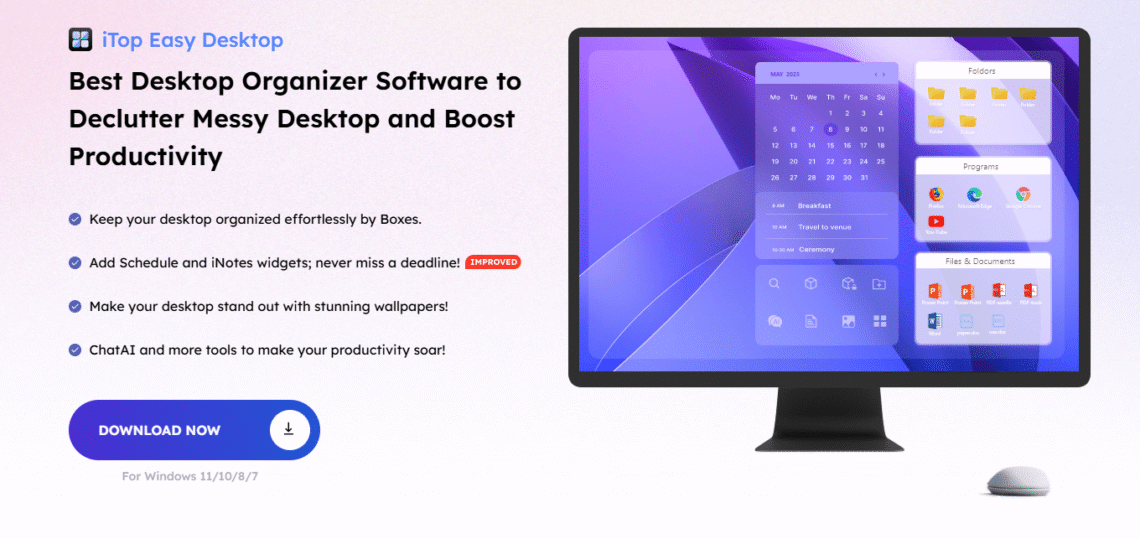
Every day feels like a time trial if your desktop is overflowing with clutter, folders, files, and shortcuts. That chaos robs your attention and steers you away from your goals, and every professional goes through this. The digital world offers endless possibilities for disorder, and disorder is what ramps up the difficulty. This is where iTop Easy Desktop comes in. It transforms an untidy desktop into an organized, spatially clear workspace that is calm and efficient. This guide illustrates how this tool facilitates project management and offers a digital space that fosters strong, positive results.
What is iTop Easy Desktop?
More than a folder organizer, iTop Easy Desktop has every element a desktop productivity tool needs. The program arranges files, folders, and shortcuts into distinct visual collections. The difference is apparent as soon as the program is launched. The chaos ebbs away, and order is established.
The interface is simple yet effective. You can set up groups for different projects, assign colors or labels, and instantly find what you need. The design suits every user—from creative professionals to business managers—without needing any technical skill. It works as a file organization software that brings calmness to your screen and order to your tasks.
Why Organized Desktops Matter for Project Management
Every project starts with an idea, but progress often stalls when files scatter across the screen. A messy desktop does more than just look bad—it wastes mental energy. Every time you hunt for a missing file, your focus slips. Over time, this reduces performance and weakens results.
A clean digital space does the opposite. It supports workflow efficiency by keeping everything where it belongs. When your projects sit in clear groups and your shortcuts stay within reach, you stay in control. Structured desktops allow the mind to think freely and act quickly. That clarity builds confidence and helps you meet deadlines without stress. In short, organized desktops form the foundation of smooth project management.
Key Features That Make iTop Easy Desktop Stand Out
Automatic Desktop Organization
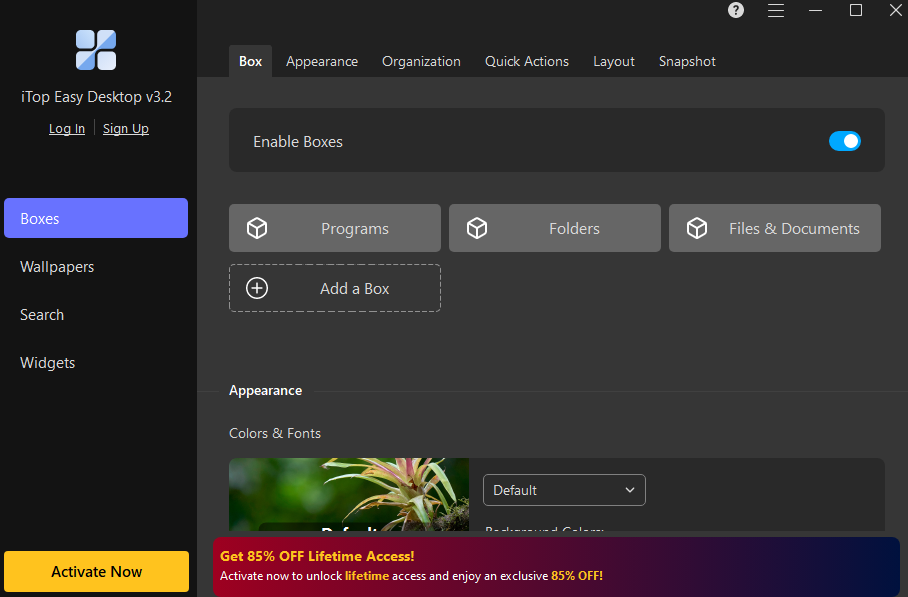
Imagine a desktop that organizes itself. With iTop Easy Desktop, the days of manually sorting files and constantly rearranging icons are over. The moment you activate it, the software instantly scans your workspace and intelligently sorts every item into neat, resizable, and color-coded boxes. You remain in complete control—easily repositioning groups, renaming categories, changing colors on the fly, or dragging and dropping items between sections. This isn’t just a one-time cleanup; it’s a self-sustaining system of order. Your desktop achieves a new state of organized clarity and, most importantly, maintains it effortlessly.
Instant File Search for Effortless Access
Nothing feels more frustrating than searching for a file you just saved. The instant search feature in iTop Easy Desktop solves that. You can locate any file within seconds. Whether it’s a report, design, or document, this search tool finds it instantly. It saves time and keeps your flow uninterrupted.
Double-Click Hide for Instant Privacy
Sometimes you need privacy during meetings or when someone walks by your screen. The double-click hide feature offers that in an instant. With two quick clicks, your entire desktop hides from view, and your workspace stays safe. Once the coast is clear, another double click restores everything just as you left it.
Built-In Chat AI for Smart Assistance
This feature turns iTop Easy Desktop into more than just a desktop organizer software. The integrated Chat AI acts as your virtual assistant. It answers questions, gives reminders, and supports smoother task organization. You can ask for suggestions or quick info without switching to another app. It saves mental effort while keeping focus steady.
Private Box for Secure File Storage
Some files deserve an extra layer of safety. The Private Box feature locks them away under password protection. Whether it’s confidential documents or personal data, no outsider can access them. It keeps your sensitive files secure while maintaining the convenience of quick access whenever you need them.
Dynamic Live Wallpapers for a Modern Desktop Look
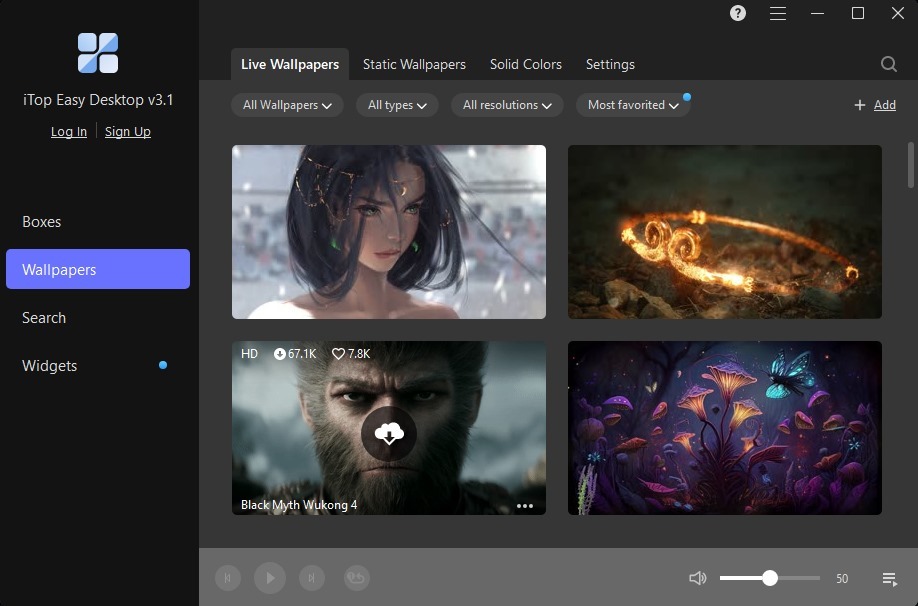
Your workspace should inspire focus, not fatigue. The live wallpaper feature transforms your screen with subtle motion and calming visuals. It adds a personal touch and turns your digital workspace into a place that feels creative and alive. A fresh background often refreshes your mind too.
More Tools for Better Workflow
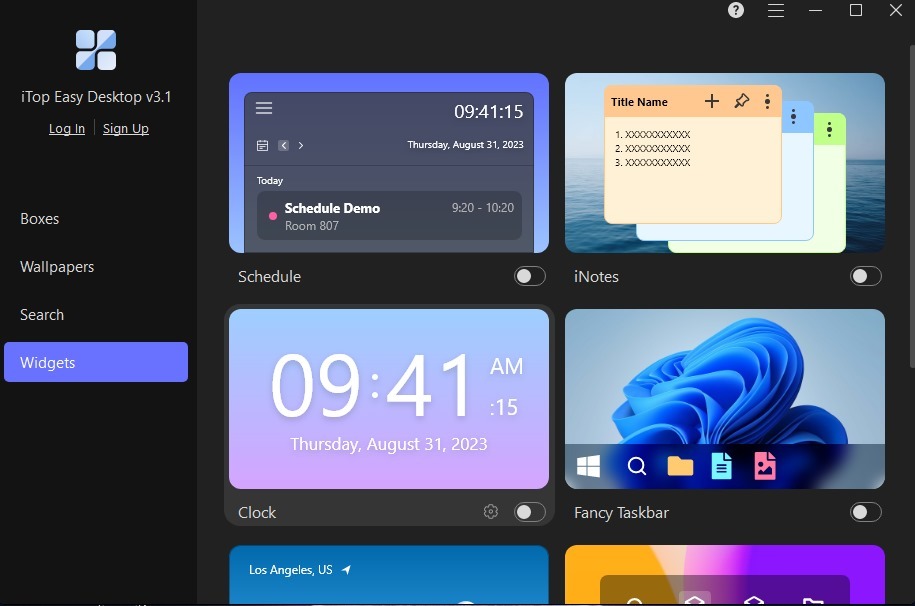
Never leave your desktop to access the tools you use most. With iTop Easy Desktop, a suite of smart, interactive widgets lives right on your screen, putting essential functionality at your fingertips. Seamlessly sync your Schedule with Google Calendar and Outlook to manage appointments and deadlines in a single, unified view. Capture ideas the moment they strike using iNotes, whether you prefer typing or recording a quick voice memo, all without ever opening a separate app. Stay one step ahead of your day with real-time Weather forecasts, keep track of time with a sleek, customizable Clock, and boost your concentration using the iPomodoro timer to structure your work and breaks effectively. Since all these widgets operate live on your desktop, you can finally eliminate the constant, distracting need to switch between windows.
Getting Started with iTop Easy Desktop – Step-by-Step
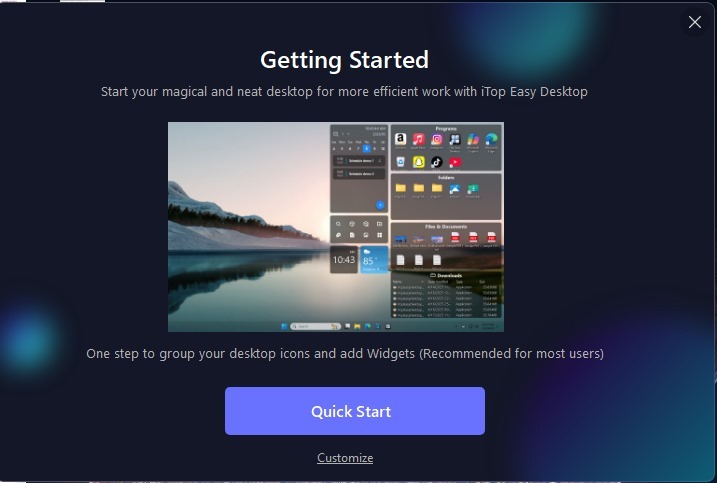
- Getting started takes only a few moments. First, download the program from the official iTop website and complete the installation. Once open, the software guides you through a short setup process. You can create custom groups, place icons in them, and start arranging files right away.
- During setup, you can also enable the Private Box for secure storage or select a live wallpaper that matches your style. If you prefer simplicity, the auto-arrange option organizes your desktop automatically. You can then adjust small details later.
- For faster navigation, create shortcuts for your most-used files or programs. Enable the double-click hide feature during focused sessions and keep your calendar visible for reminders. Small habits like these soon turn into major gains in workflow efficiency. The software runs smoothly on different operating systems and requires very little memory.
Conclusion – Simplify, Focus, and Excel
Modern work depends on order. Without it, energy drains away and creativity suffers. iTop Easy Desktop offers a way to bring back structure and clarity to your daily routine. It simplifies project management by turning a cluttered screen into a calm, well-arranged digital workspace. Each feature serves a clear purpose: to make tasks smoother and help you focus on what matters most. From file search to private storage, every function aims to remove friction and restore flow. For anyone seeking peace and productivity at the same time, this tool provides both.