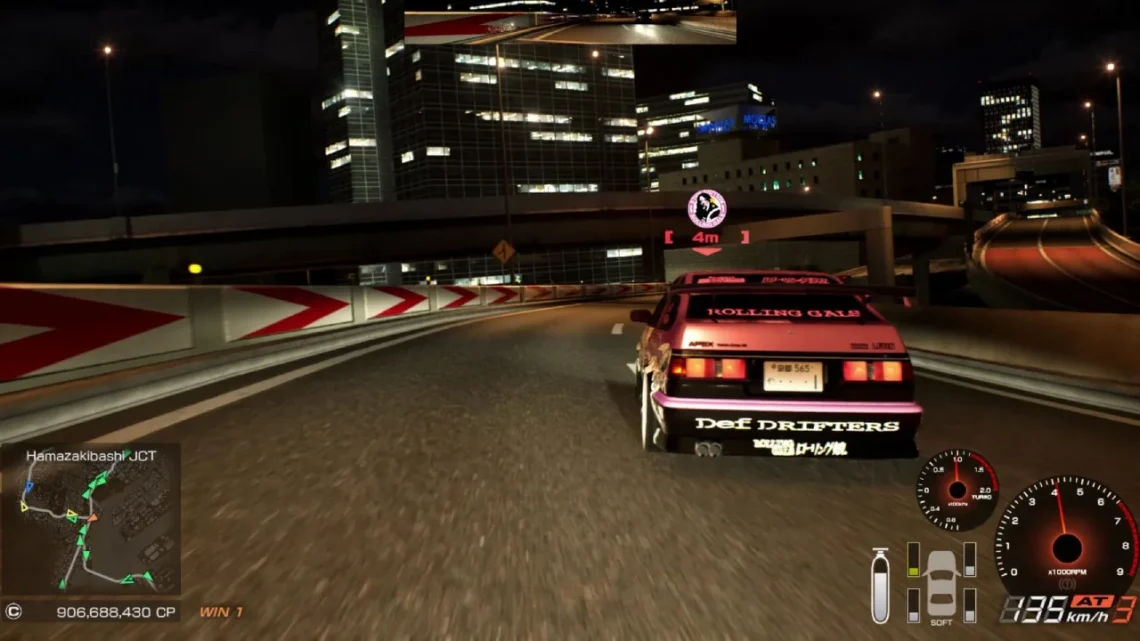
Fans of the classic street-racing series often run into the frustrating issue known as the “Tokyo Xtreme Racer fatal error.” Whether you’re playing on PC emulators, modded versions, or modern systems, this error can appear suddenly and prevent the game from launching or running smoothly. This guide breaks down the main causes, working fixes, and best ways to optimize the game so you can get back to racing without interruptions.
1. What Is the “Tokyo Xtreme Racer Fatal Error”?
The Tokyo Xtreme Racer fatal error usually appears when the game crashes during startup or while loading textures, audio, or 3D environments. Because the original titles were designed for older hardware like the Dreamcast and PlayStation 2, modern devices often struggle to emulate them perfectly.
Common symptoms include:
-
Game crashes on launch
-
Black screen followed by fatal error message
-
Emulator freezes when loading tracks or cars
-
Game fails to detect ROM files
-
Audio or video desync leading to shutdown
This error affects players using:
-
PCSX2 (PS2 emulator)
-
Demul / Flycast (Dreamcast emulator)
-
RPCS3 (for Import Tuner Challenge)
-
Modded ISO or patched game files
2. Main Causes of the Tokyo Xtreme Racer Fatal Error
Understanding what triggers the Tokyo Xtreme Racer fatal error makes it easier to fix. The most common causes include:
1. Corrupted ISO Files
If the ISO or ROM is damaged, incomplete, or modified incorrectly, the emulator crashes instantly.
2. Incorrect Emulator Settings
Tokyo Xtreme Racer has specific requirements. Wrong settings (like EE Cyclerate or VU options) cause instability.
3. Outdated Emulator Version
Older builds of PCSX2, Flycast, or RPCS3 do not fully support the game and result in fatal crashes.
4. Missing BIOS Files
Missing or incorrect BIOS regions commonly lead to fatal error messages before the game even boots.
5. GPU Driver Conflicts
New GPU drivers sometimes break compatibility with older games.
6. Mods or Patches Installed Incorrectly
Some players use:
-
1080p patches
-
Widescreen mods
-
Texture upscales
If installed incorrectly, the game fails to load.
3. How to Fix Tokyo Xtreme Racer Fatal Error (Working Solutions)
Here are the most reliable fixes based on community feedback from Reddit, PCSX2 forums, and racing game modding groups.
✔ 1. Re-Download or Verify ISO
Use a verified, clean ISO:
-
Tokyo Xtreme Racer (Dreamcast)
-
Tokyo Xtreme Racer Zero (PS2)
-
Tokyo Xtreme Racer 3 (PS2)
-
Import Tuner Challenge (Xbox 360)
Corrupted dumps always cause fatal errors.
✔ 2. Use Recommended Emulator Settings
PCSX2 Settings:
-
Renderer: DirectX 11 (Hardware)
-
Enable Automatic Gamefixes
-
Set EE Cyclerate = Default (0)
-
Set VU Cycle Stealing = 0
-
Disable MTVU if you experience crashes
-
Use 3x native resolution for stability
Flycast / Demul Settings:
-
Set Thread Mode → Sync
-
Use Vulkan Renderer
-
Disable texture replacement mods
✔ 3. Update the Emulator
Many fatal errors disappear after moving to a newer version:
-
PCSX2 Nightly
-
RPCS3 Latest Build
-
Flycast 2024+ Development Build
✔ 4. Update GPU Drivers
NVIDIA or AMD updates often fix crashes in older titles.
✔ 5. Delete Shader Cache
Shader cache corruption is a major cause of fatal errors in emulated racing games.
✔ 6. Remove Mods Temporarily
If the game works without mods, reinstall them one at a time.
4. Tokyo Xtreme Racer on Modern Hardware – Special Notes
Because the game’s rendering engine is very old, emulators may require tuning.
PS2 Versions (PCSX2)
Most fatal errors come from VU settings. Keeping everything default ensures stability.
Dreamcast Versions (Flycast/Demul)
Avoid using overclock or widescreen stretch until the game runs smoothly.
Xbox 360 Version (RPCS3 – Import Tuner Challenge)
Fatal errors often occur due to:
-
Incorrect firmware installation
-
Missing system updates
-
Vulkan shader issues
Switching to OpenGL sometimes helps.
5. Advanced Fixes for Persistent Errors
If you still see the Tokyo Xtreme Racer fatal error, try:
✔ Disable Speedhacks Completely
Speedhacks break racing physics and cause crashes.
✔ Change Rendering Mode
Switch between:
-
Vulkan
-
DirectX 11
One of these will always be more stable.
✔ Use a Different ROM Region
Some regions behave better:
-
NTSC-J (Japan)
-
NTSC-U (USA)
-
PAL (Europe)
Japan versions of Tokyo Xtreme Racer Zero are usually the most stable.
✔ Run Emulator as Administrator
Prevents file access crashes.
6. How to Prevent Fatal Errors in the Future
To avoid the Tokyo Xtreme Racer fatal error long-term:
-
Always keep emulator updated
-
Avoid unofficial mod packs
-
Use clean, verified ROM dumps
-
Backup your configuration files
-
Avoid aggressive overclocking
-
Keep GPU drivers stable (avoid beta versions)
Doing this ensures the game runs smoothly with fewer interruptions.
Conclusion
The Tokyo Xtreme Racer fatal error is a common but fixable problem caused by corrupted ISOs, wrong emulator settings, outdated software, or GPU/driver issues. With the fixes in this guide, you can stabilize your emulator, prevent crashes, and enjoy the classic racing series without constant fatal errors.
Whether you’re playing TXR Zero, TXR3, or the legendary Import Tuner Challenge, these steps ensure smooth gameplay on modern hardware.
FAQs
1. Why does Tokyo Xtreme Racer crash on startup?
Usually due to corrupted ISO files or incorrect emulator settings.
2. Is PCSX2 the best emulator for TXR?
Yes — the nightly builds run TXR Zero and TXR3 very smoothly.
3. Why does my Dreamcast version freeze?
Flycast requires specific synchronization settings to avoid crashes.
4. Does widescreen patch cause fatal errors?
Yes, if applied incorrectly or used on older emulator builds.
5. Can I play Tokyo Xtreme Racer on Windows 10/11?
Yes, with updated emulators and proper settings.